
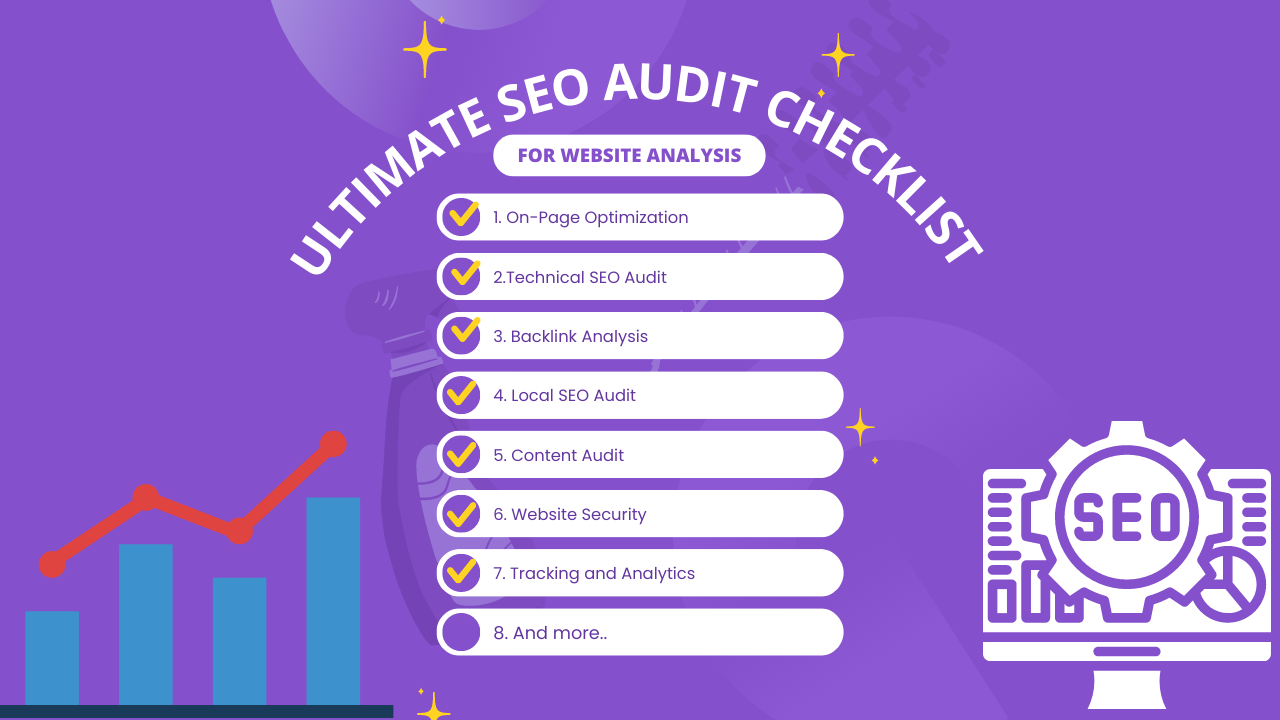
The Comprehensive SEO Audit Checklist for Effective Website Analysis is essential for maintaining a strong online presence. In this guide, you will learn how to audit your website’s SEO performance and identify areas for improvement to boost rankings and user experience.
SEO audits help you identify weaknesses, uncover opportunities, and ensure that your website remains optimized according to the latest search engine standards. In this article, you will find a comprehensive SEO audit checklist that guides you through essential steps to ensure your website ranks at the top of search engine results pages (SERPs).
Understanding the Importance of SEO Audits
Before we dive into the checklist, let’s briefly discuss why SEO audits are so important. In a highly competitive online environment, search engine optimization (SEO) plays a pivotal role in determining the visibility of your website. Without proper optimization, your pages may fail to rank, even if you have great content.
Consequently, conducting regular audits allows you to identify issues, capitalize on opportunities, and maintain a healthy online presence. Ultimately, this leads to improved rankings and better user experience. Regular audits also help you stay updated with algorithm changes and competitor strategies, so you can adapt quickly and stay ahead.
The SEO Audit Checklist
1. Keyword Analysis
First, begin by conducting thorough keyword research. Specifically, identify relevant keywords and phrases that your target audience is searching for. This includes primary keywords, long-tail keywords, and related search terms.
Then, ensure your content aligns with these keywords to improve organic search rankings. Evaluate whether your pages are targeting the right keywords, and adjust them based on search intent. You should also check keyword competitiveness and search volume to prioritize high-impact opportunities.
In addition, monitor keyword performance regularly to identify trends and adjust your strategy accordingly.
2. On-Page Optimization
Next, check each page for proper title tags, meta descriptions, and header tags (H1, H2, H3). Additionally, ensure that keywords are strategically placed within your content, but avoid keyword stuffing.
Make sure your titles are unique, descriptive, and under the recommended character limit. Meta descriptions should provide a clear summary of the page and encourage clicks. Header tags should be used to structure your content and improve readability.
Moreover, check for internal linking opportunities within your content to strengthen your site’s structure and improve navigation.
3. Content Quality and Relevance
After that, assess the quality of your content. Is it informative, engaging, and relevant to your audience? If not, update and refresh your content regularly to keep it current and valuable.
Also, consider adding multimedia elements such as images, videos, and infographics to make your content more engaging. High-quality content is not only beneficial for SEO but also builds trust with your audience.
Furthermore, remove or update outdated information, fix broken links, and ensure that your content aligns with the user’s search intent. This helps improve rankings and reduces bounce rate.
4. Mobile-Friendliness
Given the rise of mobile usage, test your website’s mobile responsiveness. Moreover, a mobile-friendly site is vital for ranking well in mobile search results.
Ensure your site is optimized for different screen sizes and devices. Check that fonts, buttons, and images display correctly on mobile devices. Also, consider improving mobile navigation and page speed, as these factors heavily influence user experience.
In addition, verify that your site passes Google’s mobile-friendly test and fix any issues that may affect mobile performance.
5. Site Speed
Use tools like Google PageSpeed Insights to analyze your site’s loading speed. In addition, slow-loading sites can negatively impact user experience and rankings.
To improve site speed, compress images, enable browser caching, and reduce unnecessary scripts. Consider using a content delivery network (CDN) to deliver content faster to users around the world. Also, optimize your website’s code by minifying CSS and JavaScript files.
Furthermore, evaluate your hosting plan and server response time. Sometimes, upgrading to a better hosting provider can significantly improve site speed.
6. Technical SEO
Furthermore, check for broken links, crawl errors, and duplicate content. Also, fix any issues that may hinder search engine crawling. In addition, implement an XML sitemap and robots.txt file to guide search engines through your site.
Additionally, review your site’s structure and navigation to ensure search engines can easily crawl and index your pages. Ensure that canonical tags are properly set up to prevent duplicate content issues.
Moreover, check for HTTPS implementation, structured data markup, and pagination issues. These technical elements can significantly impact your site’s visibility and performance.
7. User Experience (UX)
Evaluate your site’s navigation and overall user experience. A user-friendly site keeps visitors engaged, which is why UX is crucial for SEO. Moreover, ensure your website is accessible and adheres to ADA compliance standards.
Consider improving the following UX elements:
-
Clear navigation menu
-
Easy-to-find contact information
-
Fast loading pages
-
Clean layout and readable fonts
-
Logical content structure
Also, ensure your site is accessible to users with disabilities by adding alt text, proper headings, and readable fonts.
8. Backlinks and Link Building
Next, examine your backlink profile. Specifically, check for any low-quality or spammy backlinks and disavow them if necessary. Then, develop a strategy for acquiring high-quality backlinks from authoritative websites in your niche.
Additionally, focus on building relationships with influencers and industry websites. High-quality backlinks improve your site’s authority and trustworthiness, which can lead to better rankings.
Moreover, analyze your competitors’ backlink profiles to discover new link-building opportunities.
9. Local SEO (If Applicable)
For local businesses, optimize your Google My Business profile and local citations. Additionally, encourage customer reviews and maintain accurate business information. This helps improve visibility in local searches.
Moreover, ensure your NAP (Name, Address, Phone number) is consistent across all platforms. Local SEO helps drive more foot traffic and leads from nearby customers.
10. Analytics and Tracking
Finally, set up Google Analytics and Google Search Console to monitor website performance. Regularly review analytics data to make data-driven improvements and track progress over time.
Additionally, monitor key metrics such as organic traffic, bounce rate, click-through rate (CTR), and conversion rate. Use these insights to refine your SEO strategy and prioritize high-impact improvements.
Frequently Asked Questions (FAQ)
1. What is an SEO audit?
An SEO audit is a comprehensive analysis of your website to identify issues affecting search engine rankings, user experience, and overall performance. It helps you find opportunities to improve organic traffic.
2. How often should I perform an SEO audit?
Ideally, perform an SEO audit every 3–6 months, or whenever you make major website changes, add new content, or notice a drop in rankings.
3. What tools are best for SEO audits?
Some popular tools include:
-
Google Analytics
-
Google Search Console
-
Google PageSpeed Insights
-
Ahrefs
-
SEMrush
-
Screaming Frog
4. What are the most common SEO issues found in audits?
Common issues include:
-
Broken links
-
Duplicate content
-
Slow page speed
-
Missing meta tags
-
Poor mobile responsiveness
-
Low-quality backlinks
5. Does SEO auditing improve rankings?
Yes, regular SEO audits help identify and fix issues that can hinder rankings. By addressing these problems, you improve website performance and increase the likelihood of higher search visibility.
6. What is technical SEO and why is it important?
Technical SEO refers to backend optimizations that help search engines crawl and index your site efficiently. It includes site speed, XML sitemaps, robots.txt, crawl errors, and site structure Comprehensive SEO.
Conclusion
By following this comprehensive SEO audit checklist, you can effectively analyze your website’s performance and take actionable steps to improve your search engine rankings. Remember, SEO is an ongoing process, and regularly auditing your site is essential to stay ahead in the competitive digital landscape.
Ultimately, optimizing your website for search engines not only helps you reach a wider audience but also enhances user experience, leading to increased traffic, conversions, and long-term success.